

To kickstart your journey in World of Warcraft, mastering SimCraft and RaidBots is essential. These tools help you optimize your character’s performance by experimenting with gear combinations, enhancing gameplay across raiding, PvP, and solo content. First, gather your character details using the SimulationCraft addon, then head to Raidbots to run simulations. You’ll figure out the best gear, talents, and stat priorities for your character. Don’t forget to adjust simulation settings for accuracy—matching fight styles and lengths to your actual in-game encounters. With practice, you’ll fine-tune your character for peak performance, paving the way for dominating battles. Continue exploring, and you’ll soon master these indispensable tools.
Key Takeaways
- Raidbots and SimulationCraft are tools to optimize WoW character performance through gear and talent simulations.
- Use the SimulationCraft Addon to export your character’s data for accurate simulations on Raidbots.
- Simulations can identify best gear combinations, stat priorities, and optimal talent setups for your character.
- Adjust simulation settings like iterations and fight length to closely match your in-game encounters for precise results.
- Participate in class discords for insights on how to interpret simulation results and prioritize gear and stats.
Understanding Raidbots and SimulationCraft
Raidbots and SimulationCraft are tools that empower you to optimize your World of Warcraft (WoW) character’s performance by simulating various combat scenarios and gear combinations. These platforms allow you to experiment with different gear pieces and combos, providing detailed stats that would be hard to gauge against target dummies alone. Whether you’re looking to fine-tune your character for raiding, PvP, or solo content, understanding how to leverage these tools can greatly enhance your gameplay.
To start, you’ll want to gather your current gear pieces and consider potential upgrades. Using Raidbots, you can input these items to see how each combo of gear affects your WoW character’s output. This process eliminates the guesswork from gear optimization, ensuring you’re always equipped with the best possible setup for your class and spec.
Moreover, engaging with class discords can offer insights and recommendations on which gear combinations and stats priorities are ideal for your character. These communities are invaluable resources, often sharing simulation results and strategies that can further improve your performance. By combining the technical capabilities of Raidbots and SimulationCraft with the communal knowledge found in class discords, you’re equipped to maximize your character’s potential in World of Warcraft.
Preparing for Simulation
Before delving into the depths of optimization, you’ll need to gather some essential data for your character to set up a simulation. This step is critical for pinpointing your biggest gear upgrades and understanding how secondary stats impact your performance.
In simple terms, think of this as preparing for a significant exam. Just as you’d gather all your notes and study materials, you’ll need specific details about your character to make sure the simulation provides accurate and useful information.
Here’s a quick checklist to make sure you’ve got everything covered:
| Requirement | Description |
|---|---|
| Character Details | Including current gear, talents, and artifact traits. |
| Secondary Stats | Critical Strike, Haste, Mastery, and Versatility. |
| SimulationCraft Addon | Used to export your character data from the game. |
| Raidbots Website | Where you’ll input your data to run the simulation. |
Once you’ve collected this information, you’re all set to move forward. Remember, the goal here is to identify your biggest gear upgrades and how different secondary stats contribute to your performance. With this preparation, you’re one step closer to optimizing your character for success.
Exploring Simulation Types
To better understand your character’s performance potential, it’s important to explore the diverse types of simulations available. Each type serves a unique purpose, allowing you to fine-tune your gameplay strategies effectively.
First up, stat weights simulations are invaluable. They help you grasp how each stat influences your damage output, guiding you on what to prioritize for enhancement. This knowledge is essential when deciding on gear upgrades or reforging decisions.
Next, the top gear simulation is your go-to for optimizing your equipment. It sifts through your current arsenal to recommend the best gear combinations, maximizing your damage potential. This tool is a game-changer, especially when juggling multiple gear pieces with varying stats and effects.
For more targeted comparisons, gear compare and relic compare simulations let you pit specific items against each other. These simulations provide clear insights into potential upgrades, ensuring you’re always equipped with the best possible options.
Lastly, talent compare simulations offer a detailed exploration into talent configurations. With this, you can experiment with different talent trees to identify the best setup for your playstyle, ensuring you’re leveraging your character’s full potential in every raid or dungeon encounter.
Understanding these simulation types empowers you to make informed decisions, enhancing your character’s performance and your overall gaming experience.
Adjusting Simulation Settings
Having explored the various types of simulations, it’s now important to understand how adjusting simulation settings can further refine your results. Tweaking these settings lets you tailor simulations to your World of Warcraft character’s specific needs, leading to more accurate and useful data for optimizing your gameplay.
The number of iterations you choose directly impacts the accuracy of your simulation. A higher number of iterations means the results will be more important, but it’ll also take longer. It’s about finding the balance that works for you. Fight styles and lengths are vital too; they should mirror the encounters you’re preparing for. If you’re gearing up for a boss that requires quick, intense bursts of damage within short fights, set your simulation to reflect that. On the other hand, longer fights test your sustained damage output and resource management.
Adjusting the number of bosses can simulate solo targets or multi-target scenarios, essential for fine-tuning AoE (Area of Effect) skills. Finally, choosing the right SIMC version ensures you’re using the most up-to-date data, which can have a major impact on your simulation outcomes. Remember, the goal is to simulate conditions as close to your in-game experience as possible, so don’t hesitate to experiment with these settings to achieve best results.
Maximizing Simulation Features
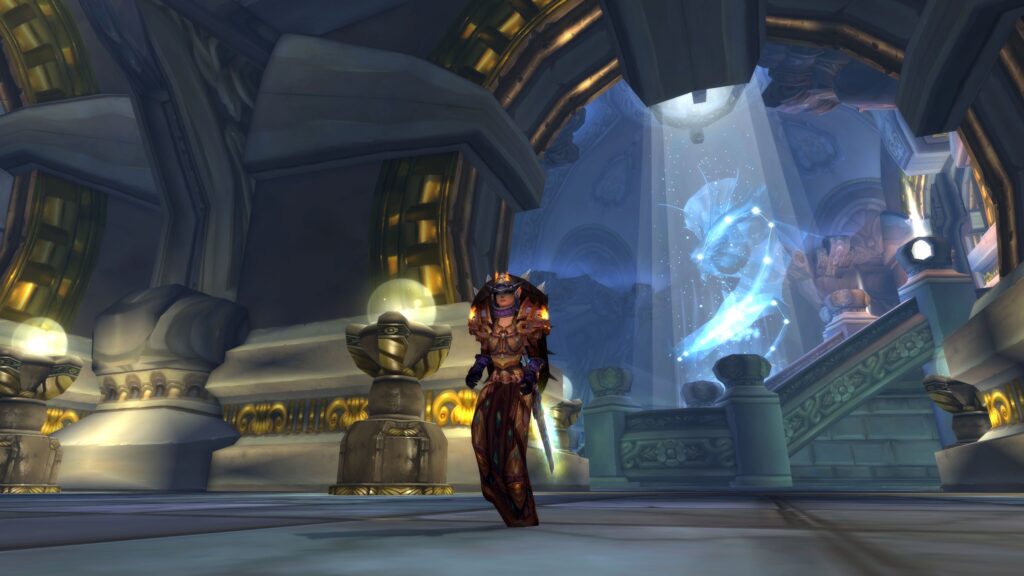
Improving simulation features can greatly enhance your World of Warcraft gameplay, enabling you to fine-tune your character’s gear and talents for peak performance. By leveraging the power of RaidBots and SimCraft, you can simulate various scenarios to see how changes would affect your output or survivability. It’s all about making informed decisions to optimize your character for any situation you might face.
To get started, here’s a quick guide on what features to focus on:
| Feature | Purpose | How to Use |
|---|---|---|
| Top Gear | Find the best gear combinations | Select gear pieces and simulate |
| Talent Compare | Optimize talent choices | Choose talents and run simulations |
| Gear Compare | Compare potential gear upgrades | Input gear sets and analyze results |
Frequently Asked Questions
How Can I Interpret the Results of My Simulations to Make Practical Decisions In-Game?**
To interpret your simulation results, compare the DPS outputs and stat weights. This’ll guide your gear, talent, and relic choices to maximize your performance. Always prioritize upgrades that align with your sim insights.
This Question Delves Into the Critical Aspect of Understanding the Output From Raidbots and Simcraft Simulations. Players Often Seek Guidance on How to Read and Apply Simulation Results to Their Gameplay, Such as Choosing Gear or Talents, Beyond Just the Numbers Provided.
You’ve struck gold! Understanding Raidbots and SimCraft results is like cracking open a treasure chest for your gameplay. It’s about interpreting beyond numbers; it’s selecting gear or talents that turn you into a powerhouse.
What Should I Do if the Simulation Results Differ Drastically From My In-Game Performance?**
If your simulation results and in-game performance don’t match up, double-check your inputs and settings for accuracy. Consider variables like fight dynamics or execution differences that might not be captured in the simulation.
Addressing the Discrepancy Between Simulated Outcomes and Actual In-Game Performance Is Vital. Players May Wonder About Factors That Could Lead to Such Differences, Such as Gameplay Style, Encounter Mechanics, or Input Errors.
You’re noticing a gap between your simulated performance and actual gameplay. It’s likely due to playstyle differences, encounter mechanics, or input mistakes. Reflecting on these areas can help bridge that discrepancy effectively.
Can Raidbots Simulations Help Me With Choosing Consumables and Enchants for My Character?**
Yes, Raidbots can help you choose the best consumables and enchants for your character. Imagine optimizing your DPS with the perfect potion and enchant combo; that’s what Raidbots simulations are capable of assisting you with.
Conquer Azeroth! Explore my World of Warcraft blog for the best tips, tricks, and guides to dominate the game. Your epic saga begins now!